
Why Emergency Apps Belong in Modern Home Safety
Home safety used to mean smoke alarms, first aid kits, sturdy locks, and a flashlight tucked into a kitchen drawer. Those things still matter. In fact, they matter a lot. But today, a phone can also become part of the safety plan, especially when an emergency moves faster than expected.
The Top emergency apps for home safety are not just about dramatic disasters. They can help during power outages, storms, medical scares, fires, road emergencies, neighborhood alerts, or moments when a family member needs to be found quickly. A good app cannot replace common sense or emergency services, but it can give families faster information, clearer communication, and a better chance of staying calm when the house suddenly feels uncertain.
The real value of these apps is not in having dozens of them downloaded. It is in choosing a few that match your home, your family, your local risks, and the way you actually live.
Weather Alert Apps That Give Families Time to React
Severe weather often gives warning signs, but families do not always notice them in time. A storm may build while everyone is asleep. A flood warning may arrive while the television is off. A wildfire alert may affect one neighborhood before the rest of the city realizes what is happening. This is where weather alert apps become one of the most useful layers of home safety.
Apps such as the FEMA app and the American Red Cross Emergency app are designed to send weather and disaster alerts, along with preparedness information. For families, that early notice can make a real difference. It may mean bringing outdoor furniture inside before strong winds arrive, moving important items away from a basement floor, charging phones before a power outage, or deciding whether it is time to leave rather than wait.
The best weather app is the one people in the home will actually pay attention to. Alerts should be turned on, locations should be updated, and notifications should not be buried under dozens of less important phone sounds. When an emergency alert sounds, it should feel different from an ordinary message.
Family Location Apps for Everyday Peace of Mind
Family location apps can be helpful in emergencies, but they are also useful during ordinary busy days. Parents may want to know that a teenager made it home. An elderly family member may need support if they feel unwell. During a neighborhood evacuation or storm, knowing where everyone is can reduce panic.
Apps like Life360 and built-in phone location sharing tools allow families to see real-time locations, send check-ins, and share alerts. These tools work best when the family discusses them openly. Location sharing should not feel like secret monitoring. It should feel like part of a safety agreement, especially with older children and adults.
For home safety, location apps are most useful when paired with a plan. Families should know where to meet if they cannot return home, who to contact first, and what to do if someone’s phone battery dies. The app helps, but the plan gives it meaning.
Emergency SOS Features Already Built into Phones
One of the most overlooked emergency tools is already inside many smartphones. iPhones and many Android devices include emergency SOS features that can call emergency services, share location, and notify selected contacts. Some phones also allow users to store medical information that can be viewed during an emergency.
This matters because emergencies are not always neat or predictable. A person may not have time to search through contacts or explain everything clearly. A quick emergency shortcut can help them call for assistance faster. Medical ID details can also be useful if someone is unconscious or unable to speak.
Every household should take a few minutes to set these features up. Add emergency contacts, check location permissions, and make sure family members know how to activate the feature on their own phones. Children who are old enough to carry phones should be taught carefully, without frightening them, how to use emergency calling only when it is truly needed.
Smart911 and Safety Profile Apps for Better Emergency Response
Some emergency apps help before first responders even arrive. Smart911 is one example in areas where it is supported. It allows households to create a safety profile with information that may help emergency call takers, such as household members, medical needs, pets, vehicles, or address details.
This can be especially useful for homes with young children, elderly relatives, people with disabilities, or anyone with medical conditions. In a stressful moment, callers may forget important details or struggle to explain the layout of a home. A prepared safety profile can help fill in some of those gaps.
Of course, privacy matters. Families should only share information they are comfortable providing and should review the profile regularly. Emergency details can become outdated quickly when phone numbers change, medications are updated, or someone moves into or out of the home.
First Aid Apps for Small Crises That Feel Big
Not every home emergency begins with sirens. Sometimes it starts with a burn from a hot pan, a child falling off a chair, a deep cut during cooking, or someone choking at the dinner table. In those first few minutes, clear first aid guidance can help people stay focused.
First aid apps from trusted health or emergency organizations can walk users through basic steps for common injuries and health events. They are not a substitute for professional medical care, but they can be useful while waiting for help or deciding what to do next.
These apps are especially helpful when they are reviewed before an emergency happens. Trying to learn first aid for the first time while someone is hurt is much harder. A calmer approach is to download a reliable app, look through the main sections, and keep basic supplies at home so the information and the tools are ready together.
Home Security and Smart Device Apps
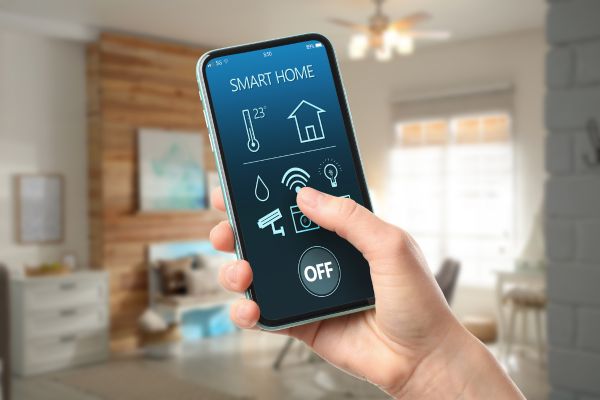
Home security apps are often linked to cameras, door sensors, smoke alarms, water leak detectors, smart locks, or alarm systems. For some households, these apps provide a practical way to notice trouble early. A water sensor under a sink may alert the family before a small leak becomes serious. A connected smoke alarm may send a phone notification if it detects danger while someone is away.
The important thing is to avoid treating smart devices as magic. Batteries still need to be replaced. Wi-Fi can fail. Notifications can be missed. A smart home safety app should support basic safety habits, not replace them.
It also helps to keep these apps organized. If every family member receives every minor alert, people may start ignoring notifications. The better approach is to decide which alerts are urgent, who should receive them, and what each person should do when one appears.
Local Alert and Neighborhood Safety Apps
Some of the most useful emergency information comes from local sources. City alert apps, county emergency management systems, neighborhood notification platforms, and local utility apps can provide updates about road closures, outages, boil-water notices, evacuation areas, or nearby safety concerns.
These apps can be especially helpful because national alerts may not always explain what is happening on your exact street or in your immediate area. During a storm, for example, a local alert may tell residents which shelter is open or which roads are blocked. During a power outage, a utility app may estimate restoration times and show affected areas.
Families should check what their local government, emergency management office, or utility provider recommends. The best emergency app for one household may not be the best for another, because local risks are different.
Location Sharing Apps for Hard-to-Find Places
Some emergencies happen at home, but not always inside the front door. A family member may be in a large apartment complex, a rural driveway, a park behind the house, or an unfamiliar area nearby. Location-sharing tools such as what3words can help describe a precise location when a street address is not enough.
This kind of app can be useful for households in areas where addresses are confusing, entrances are hard to find, or emergency responders may need more detail. Still, it should be used carefully. In a true emergency, the first step is always to contact the appropriate emergency number. Location apps can support that call by helping explain where help is needed.
How to Choose the Right Mix for Your Home
A safe phone setup does not need to be crowded. Too many apps can create noise, and too many alerts can make people tune out. Most families only need a thoughtful mix: one strong weather or disaster alert app, one way to contact and locate family members, phone-based emergency SOS features, and any local alert apps that apply to their area.
The key is setup. Downloading an app is only the beginning. Families should turn on alerts, add emergency contacts, update addresses, test notifications, and review settings after changing phones. It is also wise to keep phones charged, store power banks with emergency supplies, and write important numbers on paper in case batteries die.
A Safer Home Is a More Prepared Home
Emergency apps cannot stop a storm, prevent every accident, or guarantee that help arrives instantly. What they can do is give families a little more warning, a little more clarity, and a little more connection when stress is high. That matters.
The best home safety plan still begins with ordinary habits: working alarms, safe storage, emergency supplies, practiced routines, and calm conversations. Apps simply add another layer. When chosen carefully and set up before trouble starts, they can help turn a frightening moment into a more manageable one. In the end, the safest home is not the one with the most technology. It is the one where people know what to do, how to reach each other, and where to find help when it counts.